
S3 clients/Hetzner Object Storage
BucketMate

The Hetzner Object Storage GUI client
for Mac, iPhone & Web

Browse and move Hetzner buckets without the S3 command line.

Best forBackups and app files on low-cost storage in Germany and Finland

Free plan · One-time Pro · Keys stay on your device
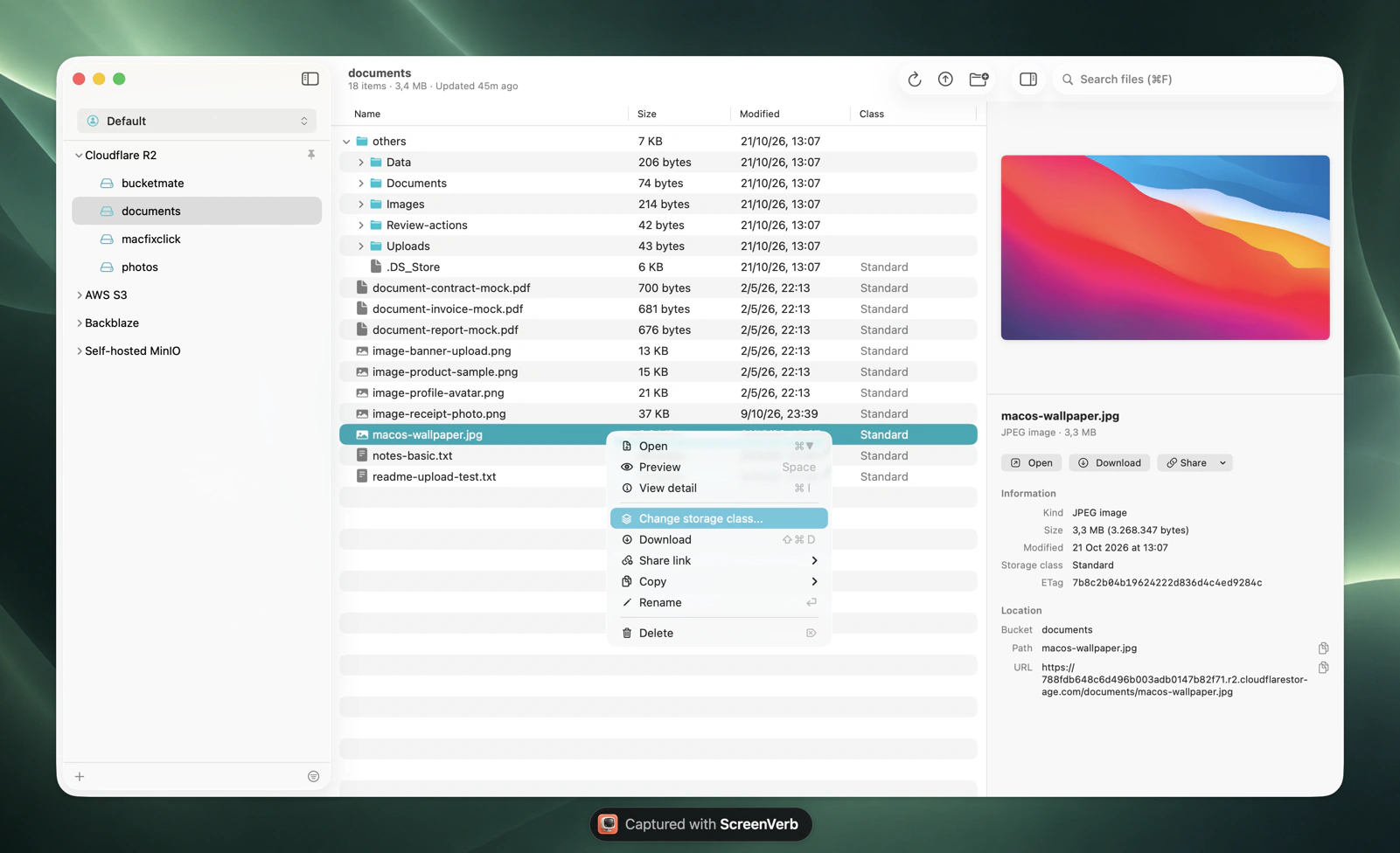
BucketMate S3 client on macOS

Hetzner Object Storage at a glance.
The numbers that shape your bill.

Base price€6.49/moincludes 1 TB storage and 1 TB egress
Extra storage€6.26/TBper month, billed by the hour
Extra egress€1.00/TBingress and API calls are free
Locations3fsn1, nbg1, and hel1

Checked October 2026. Current Hetzner Object Storage pricing

The Hetzner Object Storage console vs BucketMate.
Same files. Less friction.

Browse and move filesBasic bucket tasks. The rest goes through the S3 APIBrowse, rename, and drag files and folders
Download a folderNeeds an S3 toolDownload folders or the whole bucket
Versioning and object lockSet up through the S3 APITurn on versioning and browse versions
Share a private fileNeeds an S3 tool to make a presigned linkCopy a presigned link with the expiry you choose
Preview filesNeeds an S3 toolPreview images, PDFs, and text
On the goBrowser onlyNative iPhone and iPad app with Files integration
Other cloudsHetzner buckets onlyHetzner next to S3, R2, and Tigris

Built like a Mac app.
Not a web console.

Rename anythingS3 has no rename. Here it is one click, files and folders.
Move with drag and dropDrop files onto any folder to move them.
Drop in from FinderUpload whole folders by dragging them into the window.
Edit in placeFix a text file and save it back, or open it in your own editor.
Quick LookPress Space to preview images, PDFs, and code.
Share link historyPresigned links you can find and copy again later.

Connected in under a minute.
Three steps. Keys stay on your device.

1Create keys
Hetzner Console > Project > Security > S3 credentials
2Fill in the connection
Endpointhttps://<location>.your-objectstorage.com
Regionfsn1
Access key••••••••••
Secret••••••••••
3Test and connect
Test ConnectionConnected
On iPhone, Hetzner Object Storage has its own option in the Provider picker with fsn1, nbg1, and hel1.Full setup guide

Made for Hetzner Object Storage.
Not just any S3 endpoint.

One connection per location

Each bucket lives in one location. Add a connection for fsn1, nbg1, or hel1 and group them in a workspace.

Keys cover the project

An S3 key works for every bucket in its Hetzner project. BucketMate keeps it on your device.

Public and private links

Copy public URLs for public buckets and presigned links for private ones.

Hetzner Object Storage errors, decoded.
What they mean and how to fix them.

SignatureDoesNotMatch

The region doesn't match the endpoint, or the secret was copied wrong.

Use the same location for both, like fsn1 with https://fsn1.your-objectstorage.com.

NoSuchBucket

The bucket is in a different location than the endpoint.

Switch the endpoint and region to the bucket's location.

InvalidAccessKeyId

The key belongs to another project or was deleted.

Create a new S3 credential in the bucket's project.

503 SlowDown

More than 750 requests per second to one bucket or from one IP.

Wait a moment and retry with fewer parallel transfers.

Hetzner Object Storage and every other bucket.
One window.

Hetzner Object Storage S3 compatibility notes

64 KB minimumObjects under 64 KB are billed as 64 KB.
Bucket limitsUp to 100 buckets, 100 TB and 50 million objects per bucket.
Hourly base feeThe base fee runs every hour you have a bucket, even an empty one.

Questions?

Open Hetzner Object Storage like a folder.

Free to start. Pay once if you love it.

Download BucketMate
More providers