

All your S3 storage, one workspace
Connect AWS S3, Cloudflare R2, Google Cloud Storage, MinIO, and other S3-compatible providers without switching consoles.



Also works with any S3-compatible endpoint, like Linode, Scaleway, Ceph and your own servers.
Connect AWS S3, Cloudflare R2, Google Cloud Storage, MinIO, and other S3-compatible providers without switching consoles.
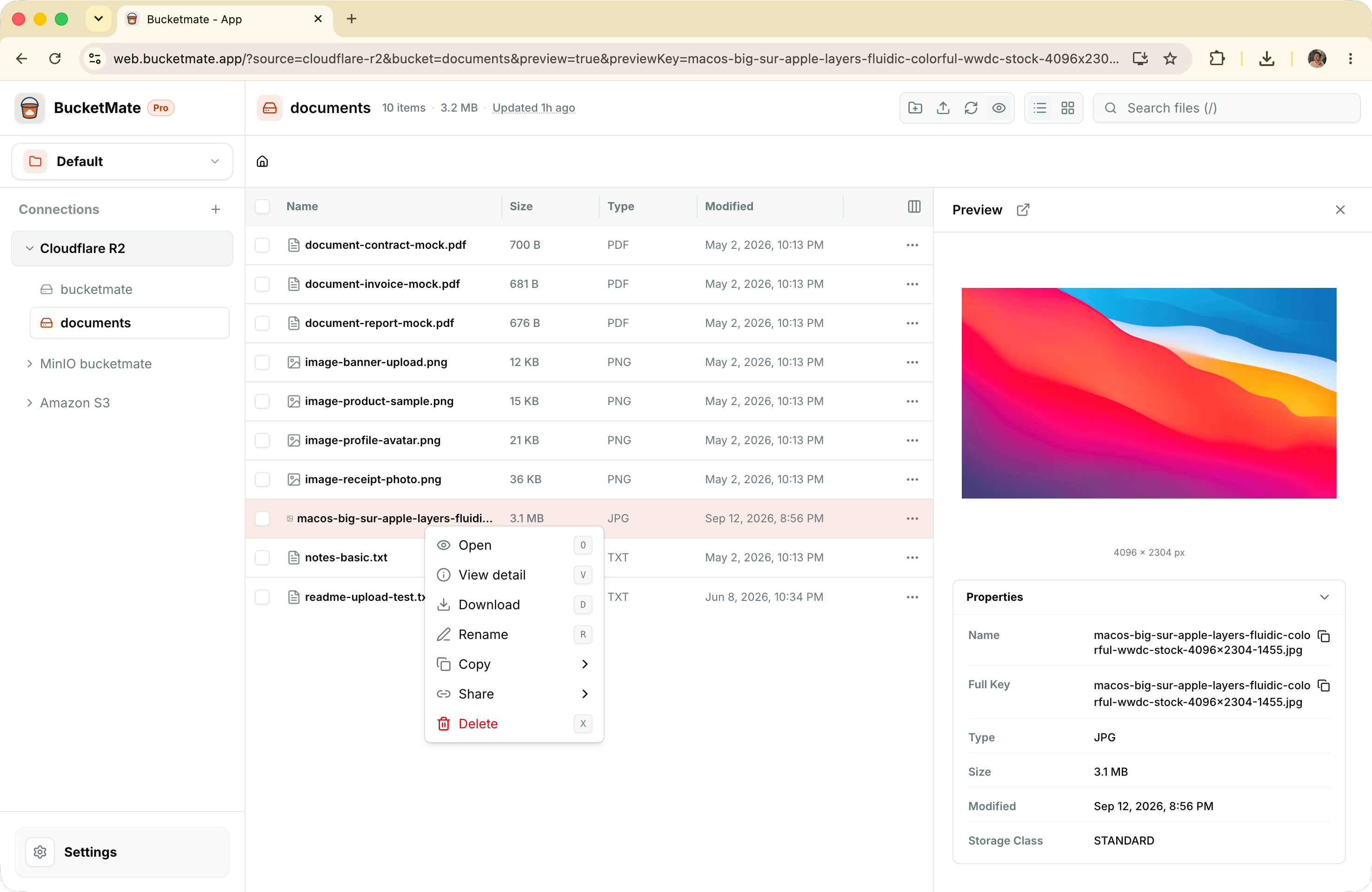
Browse folders, search objects, upload, download, rename, move, and delete files through a clean interface made for daily work.
Open images, text, PDFs, and file details inline so you can find the right object without downloading every file first.
Create expiring presigned links and keep a local history of the links you have generated for quick access later.
Group connections into workspaces, pin important buckets, hide unused ones, and return to the files you use most.
Credentials stay in your browser with optional passkey encryption. Object data travels directly between your browser and storage provider.
Customize keyboard shortcuts for uploads, bucket actions, and object actions
Browse nested folders with the new expandable folder tree