NEWBucketMate for iOS is now live!BucketMate is now live on iOS!The S3 client built for


 Loved by developers worldwide
 AWS S3
 Cloudflare R2
 Backblaze B2
 DigitalOcean Spaces
 MinIO
MinIO Supabase StorageAWS S3Cloudflare R2Backblaze B2DigitalOcean SpacesMinIOSupabase Storage
The S3 client built for
speed & simplicity
AWS S3 Cloudflare R2Backblaze B2DigitalOcean SpacesMinIOSupabase StorageAWS S3Cloudflare R2Backblaze B2DigitalOcean SpacesMinIOSupabase Storage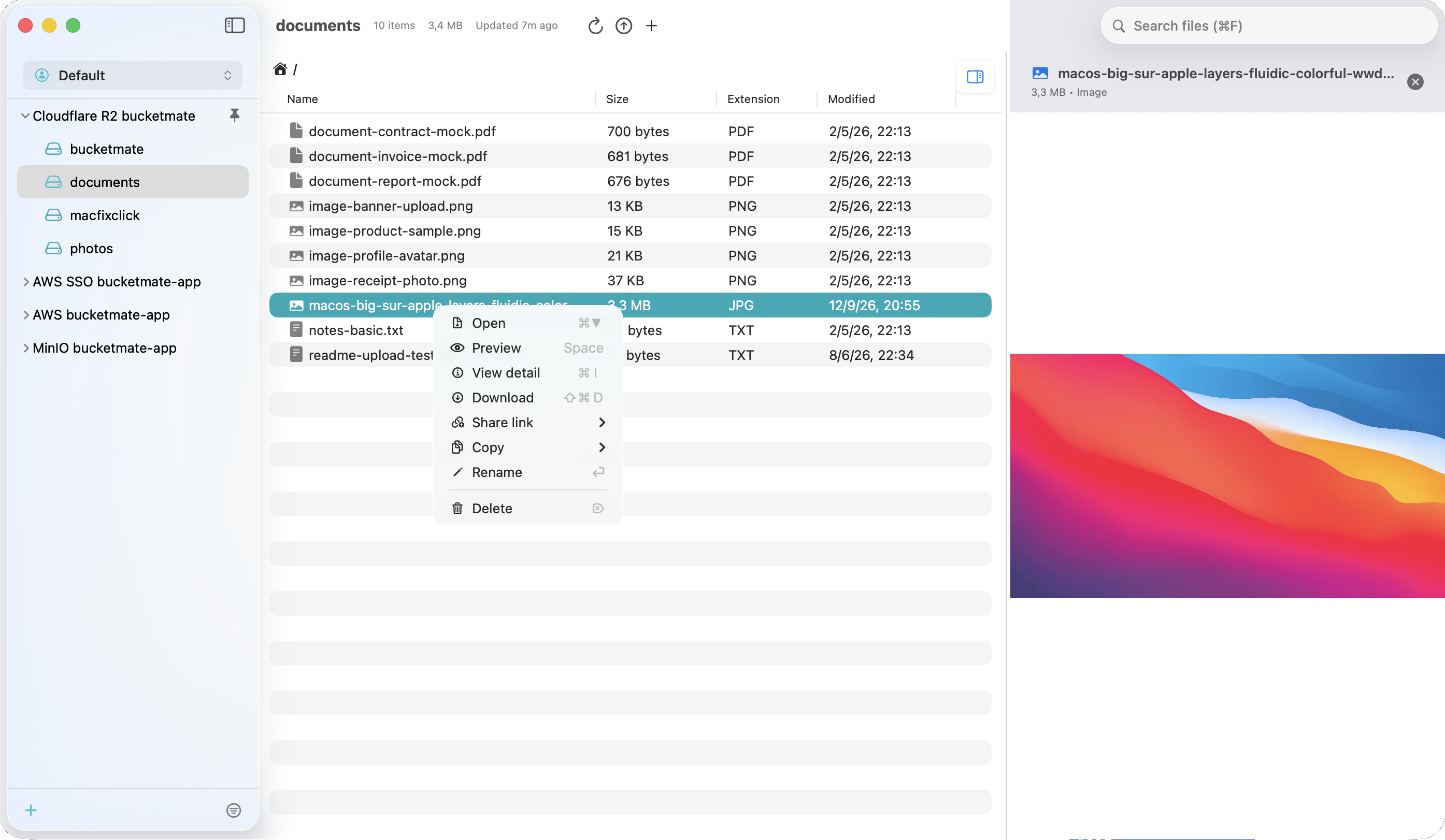
Extensive Storage Providers
Connect Amazon S3, Cloudflare R2, MinIO, and any S3-compatible provider in one S3 GUI. Supports AWS SSO and custom profiles.
Comprehensive File Management
Browse, upload, and manage S3 objects with native hierarchy navigation. Run bulk actions and copy object URLs instantly.
Advanced Bucket Operations
Create, refresh, empty, or delete buckets without opening provider consoles.
Inline Preview & Details
Preview images, text, and PDFs instantly in your S3 client. View file metadata right in the inline panel.
Secure File Sharing
Generate presigned share links with custom expiration. Track share history and reopen past links anytime.
Organized Workspaces
Organize S3 accounts with workspaces, pin favorite buckets, hide unused ones, and drag-and-drop to reorder.
Simple on the surface. Powerful underneath.
Skip cluttered cloud consoles. A fast, clean workflow for your everyday object storage.
Default Cloud Consoles
- Slow loading & page refreshes
- Clunky browser file transfers
- Separate tabs for each provider
- Sluggish server-side filtering
- Heavy browser memory footprint

BucketMate
macOS, iOS & Web- Instant launch & zero latency
- Smooth native drag-and-drop
- Unified multi-provider view
- Blazing local-first search
- Lightweight native performance
Trusted by teams at


What's New
We're constantly improving BucketMate to make your S3 workflow even better.
Frequently asked questions
Have questions? Please contact us 👇
Contact Us