A Mountain Duck alternative
built only for S3
Mountain Duck makes any server look like a disk. BucketMate is built only for S3, tuned for each provider, with a polished, modern interface.
Free plan · One-time Pro · Keys stay on your device
Which one fits?
Pick by what you need most.
M
Mountain Duck
- A Finder and File Explorer mount for many protocols, from the makers of Cyberduck
- Runs on macOS, Windows
- $49 per user, valid for one major version

BucketMate
- Built only for S3, with support tuned for each provider
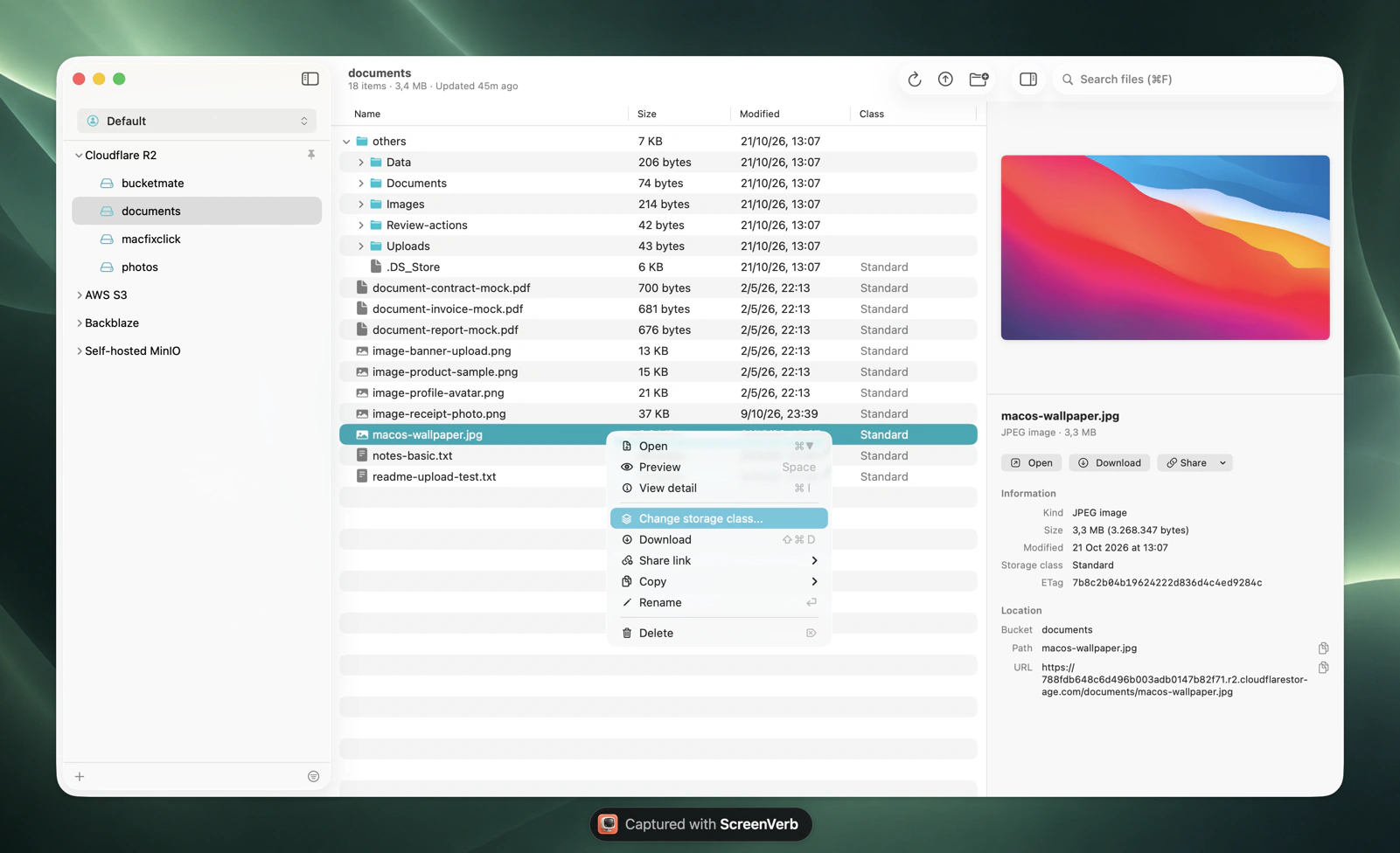
- A polished, modern native app for macOS, iPhone, and Web
- Free plan, or pay once: $29 Mac, $19 iPhone, $39 Universal
S3 as a disk in Finder for any appMountain Duck
SFTP, WebDAV, SMB, or Google Drive tooMountain Duck
Features tuned for your S3 providerBucketMate
A polished, modern app for managing bucketsBucketMate
The same buckets on iPhone and in a browserBucketMate
Built only for S3.
Tuned for each provider.
BucketMate does not try to cover every protocol. It goes deep on S3, with a setup and features for each provider instead of one generic connection.
AWS profiles and SSOSign in with your AWS profiles and SSO, change storage classes, and restore Glacier files.Setup guideR2 custom domainsCopy public URLs on your own domain, and use EU or US jurisdiction buckets.Setup guideMinIO on localhostConnect to a local MinIO over HTTP and turn on versioning without the command line.Setup guideB2 versionsB2 keeps every version. See them, recover deleted files, and clean up old ones.Setup guideHetzner locationsOne connection per location, grouped in a workspace for fsn1, nbg1, and hel1.Setup guideTigris tiersSee and change Standard, Infrequent Access, and Archive tiers per file.Setup guide
Polished and intuitive.
A modern app, not a control panel.
Rename anythingS3 has no rename. Here it is one click, files and folders.
Move with drag and dropDrop files onto any folder to move them.
Drop in from FinderUpload whole folders by dragging them into the window.
Edit in placeFix a text file and save it back, or open it in your own editor.
Quick LookPress Space to preview images, PDFs, and code.
Share link historyPresigned links you can find and copy again later.
Mountain Duck vs BucketMate.
Side by side.
FeatureMountain DuckBucketMate
FocusMountain Duck: Many protocols as a diskBucketMate: S3 only, in depth
InterfaceMountain Duck: Finder, plus a menu bar appBucketMate: Modern native app with sidebar, previews, and a detail panel
Provider supportMountain Duck: Connection profiles with provider defaultsBucketMate: Setup and features per provider, like AWS SSO, R2 custom domains, and B2 versions
PlatformsMountain Duck: macOS, WindowsBucketMate: macOS, iPhone, Web
Storage classes and versionsMountain Duck: Not shown in FinderBucketMate: Change class, restore archived files, recover versions
Share linksMountain Duck: Expiring links for S3 and othersBucketMate: Presigned links with custom expiry and a saved history
Offline filesMountain Duck: Smart Synchronization keeps chosen folders offlineBucketMate: Download what you need
PricingMountain Duck: $49 per user for Mountain Duck 5, discounted major upgradesBucketMate: Free plan, or pay once from $19
Checked October 2026. Mountain Duck pricing
Where Mountain Duck wins
Any app can open your filesBecause the bucket is a disk, Photoshop, Xcode, or Office can open remote files directly. BucketMate does not mount a disk.
Offline foldersSmart Synchronization keeps chosen folders on your Mac and uploads changes in the background.
More than S3One app for SFTP servers, WebDAV, SMB shares, Dropbox, and Google Drive alongside S3.
Where BucketMate wins
S3 is the whole productStorage classes, Glacier restores, versions, lifecycle cleanup, and presigned links are built in, not left to Finder.
Tuned for each providerAWS SSO, R2 custom domains, MinIO on localhost, B2 versions, and Hetzner locations each get their own handling.
Polished and easy to learnA clean sidebar, Quick Look, drag and drop, and rename in place. Simple on the surface, with power a right-click away.
Mac, iPhone, and WebThe same connections on your phone and in any browser, not only on a desktop.
Switching from Mountain Duck.
Your keys work as they are.
1
Copy the endpoint, access key, and secret from your Mountain Duck bookmark.
2
In BucketMate, choose Add connection and pick your provider. The form fills in what that provider needs.
3
Test the connection. Your buckets show up in the sidebar, ready to browse.